
Customer and yard handoff
Test the boundary between public-road driving and activity inside a facility. Preserve authorization, event times, locations, annotations, and the first ordinary-driving event after any special category.
Los Angeles fleet planning
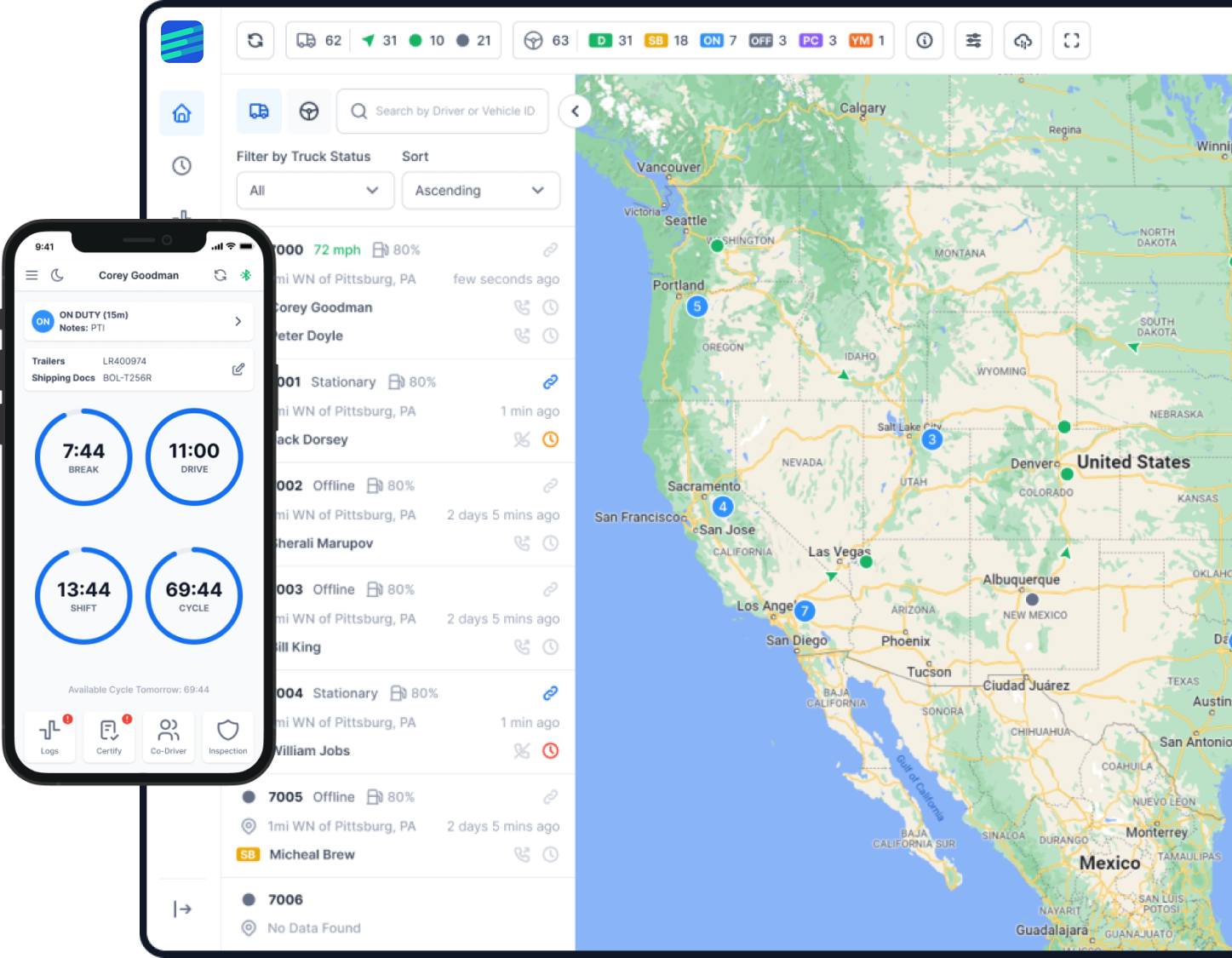
Plan ELD setup for your Los Angeles fleet with remote guidance and support from Factor ELD. Use this guide to check the device in a representative truck, walk through driver tasks, and test record access before expanding to more vehicles.
Route evidence before software
An ELD selection should begin with the routes and vehicle combinations the fleet actually dispatches. Caltrans publishes a local-truck-route resource and directs users to the responsible city or county for current local restrictions. That makes a dated route-source check part of the pilot, not an assumption built into software.
Build a representative sample that includes the origin, destination, public-road segments, yards or customer facilities, vehicle dimensions and configuration, driver, and expected non-driving work. Keep route legality and permit decisions separate from ELD status selection: one tool does not prove the other.
For each test day, compare the dispatch plan with automatic driving events, manually selected duty statuses, annotations, unidentified movement, connectivity gaps, and the final certified record. If a route changes, preserve when the change was known and what the driver and dispatcher did next.
A city guide cannot determine whether a federal or California rule applies to a particular trip. The carrier should document the facts, consult the current authority, and obtain qualified review when an exception, route restriction, or recordkeeping method is uncertain.
Decision checklist
Run every provider through the same route and retain evidence for each answer. A sales demonstration is not a substitute for a completed fleet test.
| Check | Evidence to keep |
|---|---|
| Verify route and access sources | Save the dated Caltrans page plus the current city or county source used for each route, vehicle configuration, restriction, and permit decision. |
| Match the exact ELD | Keep the FMCSA list result matching device name, hardware model, software version, registration ID, and current status. |
| Test the installed vehicle | Record truck and VIN, connector, cable, device serial, phone and OS, engine data, movement event, and pass/fail result. |
| Rehearse driver and office tasks | Complete login, vehicle selection, duty statuses, edits, certification, unidentified-driving review, roadside transfer, and malfunction fallback. |
| Prove recovery and record access | Use a controlled connectivity loss, reconcile queued events, export a named date range, open the file independently, and retain defects and retests. |
Representative operations
Test the boundary between public-road driving and activity inside a facility. Preserve authorization, event times, locations, annotations, and the first ordinary-driving event after any special category.
Swap the assigned driver or tractor during a controlled day. Verify account separation, vehicle selection, unassigned movement, edit review, and the audit trail before certification.
Record the original route, the new information, dispatch communication, duty-status consequences, final route, and source used for any access restriction or exception decision.
Create a planned offline interval without disabling the ELD. Check what remains available to the driver, how events reconcile, and whether the office sees a complete, unaltered record afterward.
Controlled rollout
Choose the vehicle and route that expose the most important Los Angeles operating risks, then stop the rollout until critical defects are closed.
List mandatory driver, roadside, office, export, recovery, and support-escalation tasks with a named approver and stop conditions.
Record the truck, connector, cable, ELD hardware and software, mobile device, app version, permissions, user accounts, and route.
Test engine-on capture, status changes, non-driving work, handoffs, annotations, edits, certification, transfer, and an intentional connectivity interruption.
Compare the dispatch record, route-source record, ELD events, edit history, supporting documents, transfer receipt, export, and driver feedback.
Assign every defect, document remediation, repeat failed tasks on the same setup, and record the go, hold, or reject decision.
Terminology and limits
FMCSA describes ELDs on its official list as self-certified by their manufacturers and states that listing is not an agency endorsement. Verify the exact device name, hardware model, software version, registration ID, and current status before deployment.
This Los Angeles guide does not decide ELD applicability, HOS, route legality, permits, or a fact-specific exception. Those decisions depend on the exact driver, vehicle, trip, jurisdiction, current rule, and official route authority.
Primary sources
Reviewed August 10, 2026. Each source supports only the scope stated beside it. Recheck dynamic facts before dispatch or deployment.
Common questions
Factor ELD provides setup guidance and support remotely. Prepare your truck, connector and mobile-device details to discuss a setup for your Los Angeles fleet.
No. Use current state and local route authorities for the exact vehicle and trip. An ELD may record movement and location, but it does not establish route legality or permit compliance.
Test the registered device and software in the actual truck with the assigned cable and phone. Include driver tasks, office review, roadside transfer, offline recovery, export, and record access.
No. FMCSA describes listed ELDs as self-certified by manufacturers and states that listing is not an agency endorsement. Match the exact installed device and version to the current list.
Expand only after mandatory tasks pass, high-risk defects are closed and retested, records remain accessible, and named fleet owners approve the exact configuration and rollout evidence.
Next step
Bring a representative vehicle, route, mobile device and your questions about exports or exceptions. Factor ELD can demonstrate its current product; your fleet remains responsible for route and regulatory decisions.