
Chicago owner-operators
Handle daily electronic logs in the mobile app while retaining trip and location information for a business that may alternate between local work and interstate loads.
Chicago and Northern Illinois fleets
Keep driver logs, vehicle activity, dispatch decisions, and fleet records connected as trucks move across Chicago, Northern Illinois, and interstate lanes. Factor ELD gives owner-operators and carrier teams a practical way to see the work without adding unnecessary complexity.
Freight moves through connected systems
The Chicago region brings several freight modes and operating environments together. The Chicago Metropolitan Agency for Planning describes metropolitan Chicago as a leading intermodal hub where containerized cargo moves among rail, trucks, planes, and ships. For a carrier, that regional role can translate into days that combine a rail or warehouse pickup, an urban stop, a suburban handoff, and the start of a longer interstate run.
The Illinois Department of Transportation’s District 1 freight planning work documents a network shaped by interstate highways, intermodal terminals, transload facilities, cargo airports, and industrial activity. Those connections matter to more than large national carriers. Owner-operators, small fleets, and growing trucking companies may all need to coordinate drivers across dense city streets, distribution areas, regional corridors, and customer schedules that change during the day.
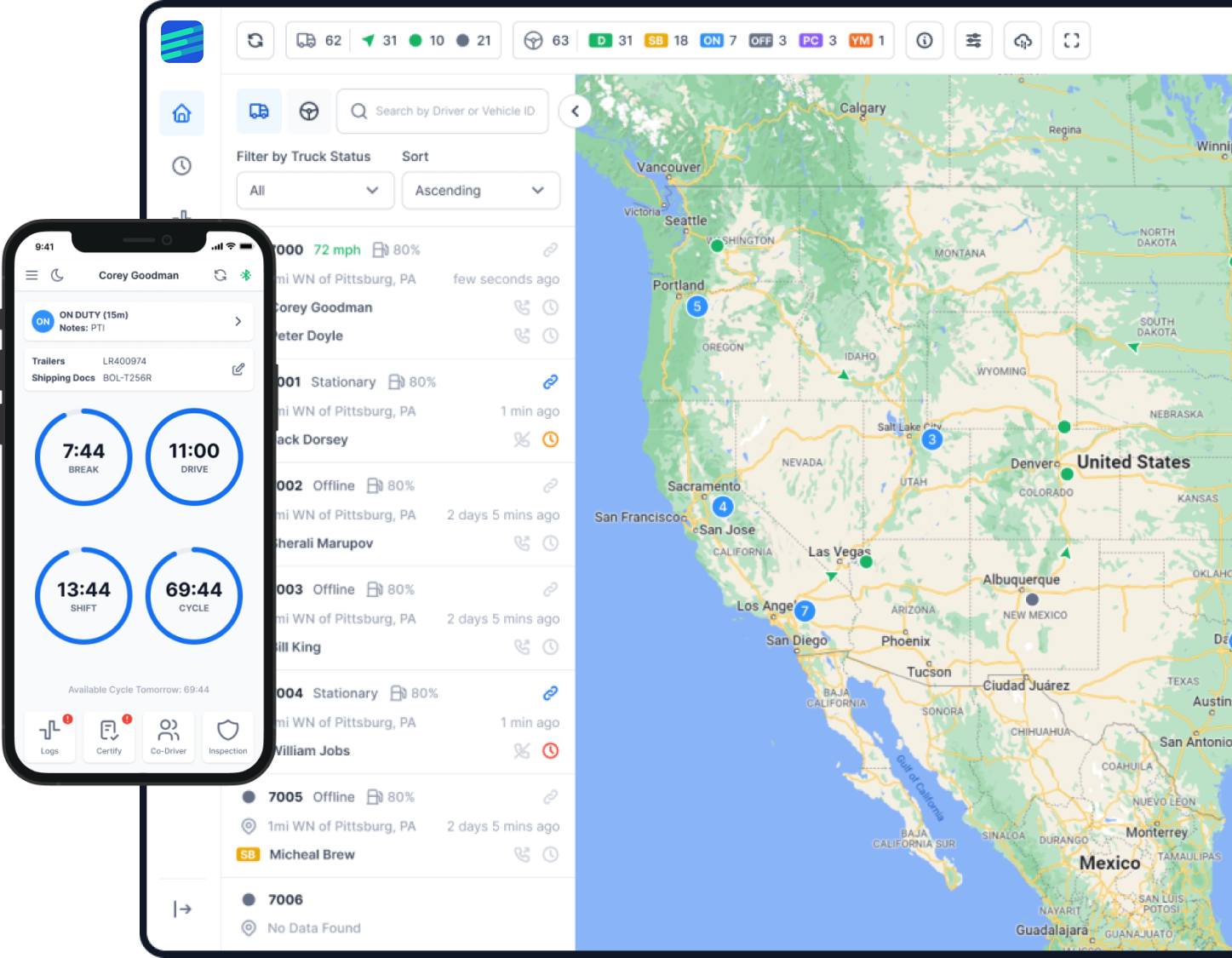
A shared operating view helps the office respond without turning every update into a phone call. Electronic logs keep the driver workflow organized, GPS visibility shows current vehicle activity, and trip history gives managers a record they can review later. Dispatch tools can add another layer when a fleet needs to coordinate assignments, warehouse stops, or a mix of local and long-haul work.
Factor ELD does not replace official routing resources, road restrictions, or a carrier’s operating judgment. It supports the information flow around the trip: driver status, vehicle location, communications, records, and reports. Remote onboarding and 24/7 multilingual support remain available as vehicles move beyond the Chicago area and across state lines.
Designed around operating needs
Fleet size is only one part of the decision. The right setup also depends on how often assignments change, who reviews driver information, and whether the operation needs logging alone or a broader fleet workflow.
Handle daily electronic logs in the mobile app while retaining trip and location information for a business that may alternate between local work and interstate loads.
Create a consistent driver process and give the office one place to review logs, vehicles, tracking history, and reporting inputs.
Follow vehicles working across Northern Illinois and nearby Midwest markets without separating regional trips from the rest of the fleet record.
Keep the same driver application, support channel, and fleet view when an assignment begins near Chicago and continues across state lines.
Use vehicle activity and dispatch tools to clarify assignments, monitor progress between stops, and reduce repeated status requests.
Organize information around appointment-based pickups, warehouse transfers, terminal handoffs, and the road segments that connect them.
One connected platform
Factor ELD combines core driver logging with optional tools for teams that need more visibility. Each function should solve an operating problem rather than add another screen to manage.
Drivers record duty activity through the mobile workflow, while authorized fleet users can review log information and maintain a more consistent process across the team.
Understand the driver log workflowCurrent vehicle location and tracking history help the office understand progress between pickups, warehouse stops, deliveries, and the next dispatch decision.
Explore GPS visibility and IFTA toolsDispatch Board options can help connect assignments, vehicles, drivers, and operational updates when a fleet has outgrown informal call-and-message coordination.
Review the dispatch workflowOrganized trip and mileage information gives managers a clearer starting point for recurring reporting work and internal review.
See how ELD data supports IFTA workManage driver access, vehicle activity, communications, and fleet records from a shared dashboard instead of rebuilding the operating picture from separate tools.
Learn about fleet efficiency toolsA carrier that needs more operational visibility can discuss dash camera support and asset tracking as additions to its ELD and fleet setup.
View available Factor ELD productsChicago-area operating scenarios
A driver can complete a pickup in Northern Illinois, continue toward another state, and use the same mobile log process throughout the trip. The resulting history remains available for later review without creating a second workflow for longer routes.
The manager can review logs and vehicle activity from one dashboard before deciding who is positioned for the next assignment. Drivers still receive direct instructions, but routine visibility no longer depends on repeated check-in calls.
When trucks move through multiple scheduled stops, location visibility gives the dispatcher context for conversations with drivers and customers. Dispatch tools can help keep the assignment record connected to the vehicle and driver.
The office can follow the transition from dense local work to an interstate segment while the driver continues using one log and communication workflow. That continuity makes the trip easier to review after delivery.
Logs, tracking history, trip information, and IFTA-related data can be checked from an organized system before the manager completes recurring reports or follows up on missing details.
From plan selection to daily use
A successful rollout begins with accurate vehicle information and a clear decision about which tools the operation will use. Factor ELD support can guide the process while the fleet controls its accounts and deployment schedule.
Review the number of vehicles, required logging workflow, and optional fleet tools before choosing the starting configuration.
Provide the relevant truck details so the connection type and cable requirements can be reviewed before equipment is assigned.
Confirm delivery details, match each device and cable to the intended vehicle, and prepare a rollout order that the team can follow.
Install the connection in the vehicle and verify that the device is communicating before the truck returns to normal operations.
Give each driver the correct access and confirm the login, vehicle selection, and account recovery process.
Install or open the driver app, complete the necessary settings, and make sure the driver understands the normal connection indicators.
Walk through logs, inspections, data transfer, communications, dashboard views, and the support path before the system becomes part of daily work.
Build log review, vehicle visibility, trip history, and dispatch information into the operating routine instead of treating them as separate cleanup tasks.
Use the 24/7 multilingual support channel for setup questions, account help, app guidance, or device troubleshooting wherever the vehicle is operating.
Help beyond initial setup
Freight schedules do not stop at the end of the office day. Factor ELD provides 24/7 multilingual support for driver onboarding, mobile app use, account questions, device troubleshooting, and fleet-dashboard guidance.
Because assistance is provided remotely, the same support path remains available whether a truck is completing Chicago-area work, traveling through Illinois, or continuing on an interstate assignment. The goal is to help the driver or manager return to the correct product workflow without implying a local office or installation crew.
Plan the rollout with current information
The Factor ELD pricing section currently shows the ELD Compliance plan at $29 per truck, per month, and displays a first-month trial option. Confirm compatibility and optional tools before ordering.
Common questions
Straight answers about setup, daily use, fleet tools, and support.
It can be. An owner-operator can use the mobile app for electronic logs and keep trip and location information available for review. The correct starting setup depends on the truck, cable compatibility, and whether the operation also needs tools such as dispatch or expanded tracking.
Yes. Fleet users can manage driver accounts and review logs, vehicle activity, tracking history, and reporting information through a shared workflow. The configuration can remain focused on core ELD use or include additional operational tools.
Yes. Drivers can continue using the same application when work moves from Chicago-area stops to Illinois routes or interstate lanes. The office retains access to the relevant logs, trip records, and fleet visibility.
Cable compatibility depends on the vehicle and its diagnostic connection. Provide the truck details before ordering so the connection requirements can be reviewed and the correct equipment can be matched to the vehicle.
Factor ELD offers current GPS location, tracking history, and fleet visibility. These tools give dispatchers operational context between stops, although the carrier remains responsible for routing decisions and official road restrictions.
Depending on the selected configuration, a dispatcher can review vehicle activity and use Dispatch Board tools to coordinate assignments and follow progress. Driver communication and office procedures remain important parts of the workflow.
Onboarding covers the device connection, driver accounts, mobile application, normal logging steps, data transfer, dashboard use, and how to contact support. A fleet can sequence the rollout by vehicle or driver group.
Yes. Factor ELD provides 24/7 multilingual support for setup, app usage, account questions, troubleshooting, and general product guidance.
The platform can organize logs, trip history, tracking information, and IFTA-related data that managers use in recurring reviews and reports. The fleet remains responsible for validating and completing its required submissions.
Use the current pricing section on the Factor ELD website or request a demo. Confirm the number of trucks, compatibility details, required ELD workflow, and any optional dispatch, asset, or camera tools before ordering.
Connect the driver and the office
Share your vehicle count, route mix, driver process, and the visibility your office needs. The Factor ELD team can help you review a practical configuration for logs, tracking, reporting, dispatch tools, and onboarding without adding services your operation will not use.