
Owner-operators
Handle electronic duty activity in the driver application and retain vehicle and trip information for the business side of each load.
Dallas driver and fleet coordination
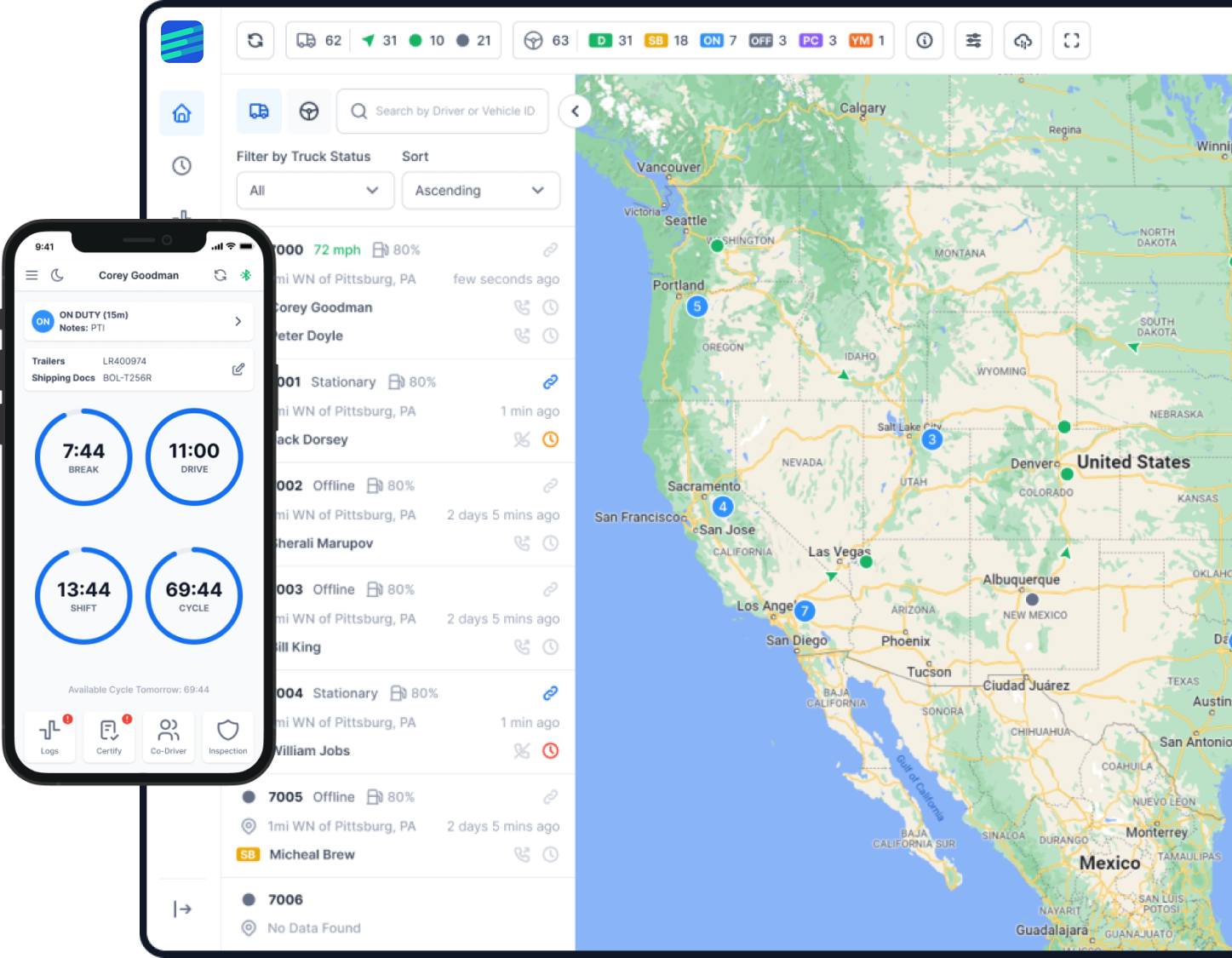
Keep drivers, trucks, assignments, and trip records connected as work moves between Dallas delivery stops, North Texas facilities, and longer Texas or interstate lanes. Factor ELD brings the road and office sides of that work into one operating view.
Freight work across Dallas and North Texas
The City of Dallas describes its International Inland Port as an intermodal and logistics district connected to regional, national, and global markets. Its access to I-20, I-35, and I-45 helps explain why Dallas carrier work can shift quickly from an urban pickup to a regional transfer or the opening leg of an interstate trip.
NCTCOG treats North Texas freight as a multimodal system rather than a single highway activity. The DFW Airport cargo program likewise describes information shared among forwarders, shippers, ground handlers, logistics providers, airlines, and trucking companies. Warehouses, rail facilities, air cargo, truck routes, and customer locations create handoffs that do not all follow the same schedule. Dispatchers benefit from seeing the current driver, vehicle, and trip context before changing an assignment.
The regional freight land-use program specifically examines warehousing, distribution, manufacturing, and rail-related activity in the urban area. For a small Dallas fleet, that variety can mean several stops, different appointment expectations, and a mix of local delivery and longer hauling within the same week.
TxDOT plans freight as a statewide supply-chain system, while the Bureau of Transportation Statistics measures flows between states and major metropolitan areas across multiple modes. Factor ELD does not choose roads or replace official routing information. It keeps driver logs, vehicle history, messages, and trip records organized around the carrier's own routing decisions.
Built around real fleet roles
The right starting configuration depends on vehicles, people, route patterns, and office routines—not on a generic city package.
Handle electronic duty activity in the driver application and retain vehicle and trip information for the business side of each load.
Bring drivers, trucks, logs, location history, and ordinary account tasks into one structure that a lean office can manage.
Use a consistent log and vehicle workflow when assignments connect Dallas with other Texas markets and return on different schedules.
Keep the same driver access and office visibility as a trip leaves North Texas and continues across state lines.
Check active vehicle context before coordinating warehouse pickups, delivery windows, driver changes, or the next available assignment.
Organize repeat stops and vehicle activity without assuming that every route, truck connection, or customer schedule works the same way.
Road and office information in one system
Begin with the driver log workflow, then add visibility, dispatch, reporting, or optional equipment only where it supports the fleet's work.
The mobile application gives each driver a place to handle duty entries; designated fleet staff can inspect the resulting records and resolve routine questions.
Understand the electronic log workflowA shared view of current driver status helps dispatch avoid rebuilding availability from separate calls, texts, and handwritten notes.
Explore connected fleet workflowsCurrent and historical vehicle activity gives the office context between a pickup, a delivery, a yard visit, and the next road segment.
See GPS and mileage capabilitiesDispatch tools can connect assignments, drivers, and trucks when a growing operation needs more structure than informal updates provide.
Review dispatch integration optionsOrganized trip history and mileage-related inputs provide a cleaner starting point for internal reviews and recurring IFTA-related work.
Read about IFTA data workflowsDiscuss dash camera integration or asset tracking when it matches a specific requirement and the selected Factor ELD configuration.
View available product optionsExamples, not customer stories
The same driver application carries through each segment while trip and vehicle information remains available for later business review.
Vehicle activity helps the dispatcher understand a delay before deciding whether the next pickup or delivery assignment should change.
The office can review logs and status from one account before contacting a driver or assigning the next piece of work.
Drivers keep one routine even when a day begins with Dallas-area distribution and ends on a regional or interstate lane.
Duty records, vehicle history, and trip inputs stay grouped so the review does not begin by reconstructing events from disconnected sources.
A rollout sequence the team can follow
Vehicle connections, equipment delivery, driver readiness, and fleet size affect the rollout. Confirm each dependency instead of promising a fixed timeline.
Identify the core ELD workflow and any fleet tools the operation actually expects to use.
Review each truck's relevant diagnostic connection before assigning a device or cable.
Match delivered hardware to the intended vehicles before connection work starts.
Use the confirmed connection and verify that expected vehicle data reaches the system.
Set up the correct access for each driver and confirm login and account-recovery steps.
Review vehicle selection, duty actions, ordinary annotations, and the driver's help path.
Practice the tasks drivers will perform at the beginning, during, and end of a working period.
Show managers and dispatchers where logs, vehicle activity, trip history, messages, and reporting inputs appear.
Bring connection, account, or workflow questions to 24/7 support and adjust the setup when a verified need emerges.
Assistance that follows the route
Factor ELD support can help with setup planning, driver accounts, mobile-application use, ordinary logging questions, device communication, troubleshooting, and fleet-dashboard navigation.
The remote support path remains available when a vehicle is working in Dallas, moving elsewhere in Texas, or continuing on an interstate trip. Road and office users can ask for help without changing support channels at a city boundary.
Select from current plan information
Use the current Factor ELD pricing section and discuss truck connections, driver count, office access, and optional tools before choosing a plan. This Dallas page does not introduce a local price, hardware fee, shipping term, discount, or promised financial result.
Common questions
Straight answers about setup, daily use, fleet tools, and support.
Yes. An owner-operator can use the driver application for electronic logs and retain relevant vehicle and trip information for business review. The starting plan should reflect the truck connection and desired features.
Create separate driver access, assign the correct vehicles, and use the fleet view for logs, current status, activity history, and routine follow-up.
The driver and office workflows can continue as work moves beyond Dallas to other Texas markets or across state lines, without switching accounts for each operating area.
Provide the relevant vehicle and diagnostic-connection details before ordering. Cable requirements can vary, so the review should be completed per truck instead of assuming universal fit.
The selected configuration can provide current vehicle context and tracking history. Exact views depend on active equipment, connectivity, account permissions, and chosen features.
Dispatchers can review driver and vehicle context before updating an assignment. Optional dispatch tools add more structure when informal calls and messages no longer provide enough shared detail.
Onboarding can cover account access, vehicle selection, ordinary duty actions, application navigation, common driver tasks, and the process for requesting assistance.
Yes. Factor ELD provides 24/7 multilingual support remotely, so a driver or office user can keep the same help channel on Texas and interstate routes.
Logs, trip history, vehicle activity, and mileage-related inputs can support internal review and recurring reporting work. Availability depends on the plan, active equipment, and selected tools.
Review current pricing alongside vehicle connections, number of drivers, office roles, and optional feature needs. Confirm the configuration before ordering rather than relying on a city-specific promotion.
Turn the operating plan into a workable setup
Share the fleet's vehicle mix, driver process, assignment pattern, and reporting needs. Factor ELD can help organize a configuration around the work your team performs in Dallas, across Texas, and on interstate lanes.